
Most of the images we see around are in raster format. A vector file is comparatively new to most people. When you receive a file for your logo, illustration, and professional designs, you will receive the file in vector format.
You will see those files ending in .AI, .EPS, SVG, or .PDF extensions. So, how to use a vector file? That confusion is common if you’re not a designer. You can use the vector file for a website, business card, sign, packaging, merchandise, and other design work.
Here’s the process.
How To Check The Vector File?
Before doing anything, you should check the format of the file. If the file isn’t vector, you can convert it into a vector through JPEG to Vector Conversion. Look at the file extension. Some common vector formats are AI, EPS, SVG, and PDF. AI is the editable version of a vector file. It’s also called the Master file.
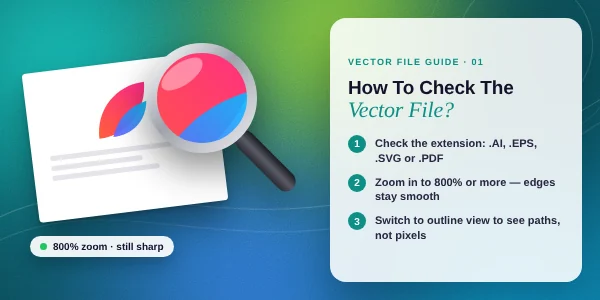
You need to have Adobe Illustrator to modify AI files. It’s useful when the file needs some adjustments. EPS format is used for exchanging files between graphics and production applications. Adobe Illustrator supports AI, PDF, EPS, and SVG all sorts of vector files.
How to Open a Vector File?
To open a vector file, your pc needs to have vector-supported software. Adobe Illustrator is highly recommended for that. It can open AI, PDF, and EPS files. Here’s the process.
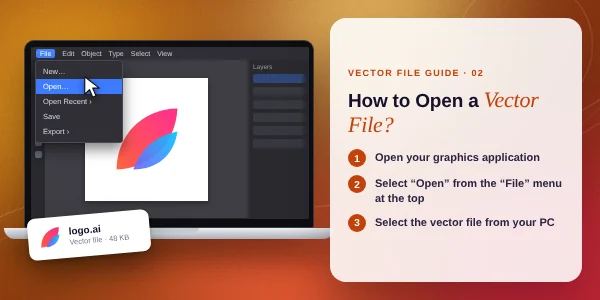
- Open your graphics application
- Select “Open” from the “File” menu located at the top.
- Select the vector file from your pc.
The vector file will be opened on your device.
At this stage, you can open a vector file on your pc. But how can you edit the file? It’s a different process. Let me tell you briefly.
How to Edit a Vector File?
If you are working with a properly created vector file, you’ll be able to edit all elements individually. If you don’t have the editable vector file, you have to apply the Vector Conversion methodto make it editable. For example, you have a company logo. Your logo contains two symbols and three colours.
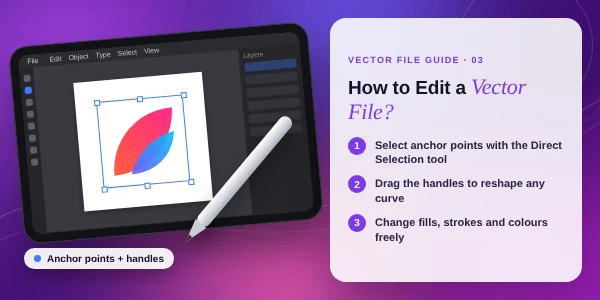
In Adobe Illustrator, you will be able to select the symbol, change its colour, adjust its size, move it, and adjust individual paths. Before changing anything, you should save a copy. This keeps the original file. You can return to the original version anytime.
You can also find the text converted to outlines. It will help you preserve the appearance of a logo. But after outlining text, you can’t edit the text as regular text. If you need to change the wording, you have to recreate it using the appropriate font.
How to Resize a Vector Without Losing Its Sharpness?
Vector graphics are created shapes using paths, curves and graphical elements. You can render the file at different sizes. To do that, you need to open the file in Adobe Illustrator. Then, you need to follow the process below.
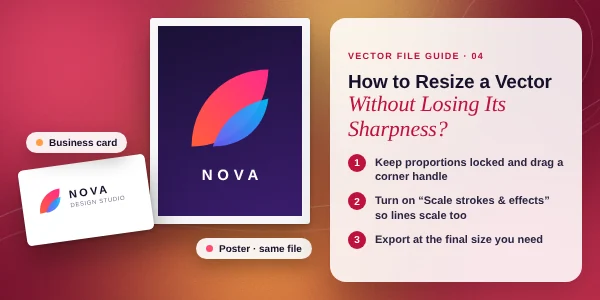
You need to open the file following the above process. Then, select the entire vector design. Pick the “Selection” tool from the top of the toolbar. After that, drag the mouse to resize the vector file without losing its sharpness.
Also, you can use the Free Transform tool to get better control over resizing. When you get your expected size press confirm to save the changes. Then, you can export the file in the required format. The AI vector file is your source file.
How To Use A Vector File Professionally?
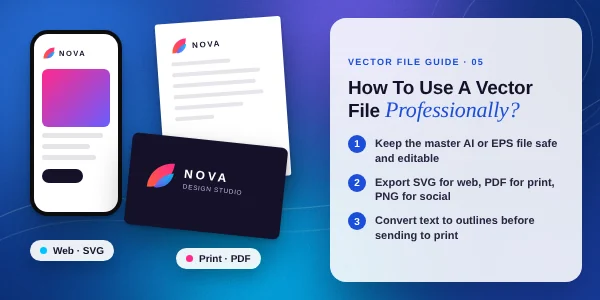
Printing
A vector file is mainly used for printing. Most printing people will ask you to provide an AI, EPS, SVG, or PDF. If a printer gives you file specifications, you have to follow those requirements first. Ask which format they prefer. If they need an editable version, you have to provide the AI version.
Website
For websites, SVG is a useful option. The full form of SVG is Scalable Vector Graphics. It’s a 2D graphics. It supports vector shapes, text, images, and other graphical elements. You can use the SVG format for Company logos, Icons, and Interface graphics. Use it for images that need to display at different sizes.
Merchandise Production
A vector file is the best option for merchandise production. A business logo needs to appear on a shop sign, vehicle graphic, promotional item, packaging, label, apparel, and other physical products. A sign company always asks for an editable vector file. A merchandise supplier has their own requirements.
How to Send a Vector File to a Printer?
You have to follow some guidelines for sending the vector file properly to the printer. So, check those things.
Send the requested format
If the recipient asks for EPS, send EPS. If they request SVG, send SVG. If they need an editable AI file, provide the AI file.
Keep the master file
Don’t edit your original file with a production version. You should save a separate copy for changes. It gives a better flexibility to start.
Check the text
You need to ask if the recipient needs editable text or outlined text. If he wants to change the font, you need to keep the text editable.
Check the colours
Colour requirements vary between digital and physical production. If a printer supplies colour specifications, follow their required color mode.
Name the files clearly
Don’t send the file with names such as logo-final-final2.ai. You should use a simple name. It should clearly mention the file name.
Sum Up
At this stage, you should not have any confusion about how to use a vector file. From now on, you should be able to use a vector file professionally. If you don’t have the vector file, our expert vector designer can create it for you.
You just need to send us the sample image. We will recreate the sample image through manual vector tracing. We will preserve every possible detail. Let’s have a try.
FAQ’s
Can I edit a vector file myself?
If you have standard vector-editing software like Illustrator along with the required skills, you can edit a vector file yourself.
Which vector format is best for a logo?
AI is a standard format for editable logo file. SVG logo is used for websites. EPS logo is useful for printing.
Can I use a vector file on a website?
SVG is designed for scalable two-dimensional graphics and is widely used for web graphics. However, your website setup and the complexity of the artwork can affect which format is most appropriate.
What should I do if a vector file won’t open?
You should check the file extension. After that, you have to choose a standard vector application to open the file. If the file shows an error, there might be something wrong with the file.